2023/03/28
Enable Push Notifications on iPhone and iPad
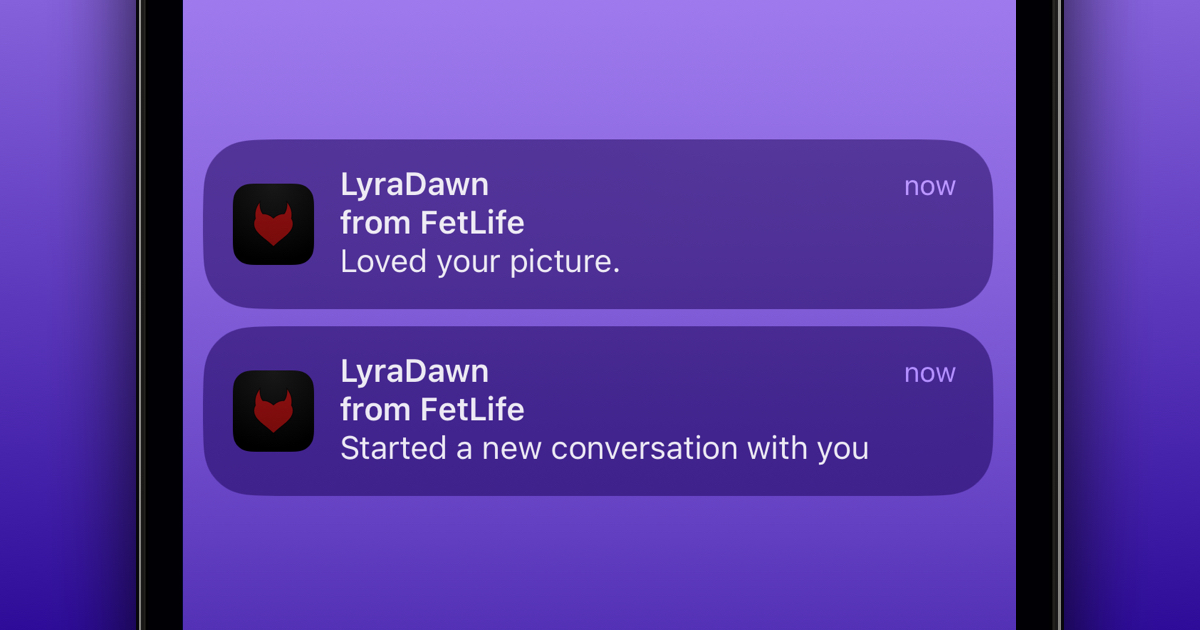
We're happy to announce that members who have added FetLife onto the home screen of their iPhone or iPad can now receive push notifications! Android users can already enable push notifications by following these instructions.
Here's how to start receiving push notifications from FetLife onto your iPhone or iPad:
Step 1: Make Sure You're on the Latest Version of iOS
In order to receive push notifications on your iPhone or iPad, you need to make sure that your device is on version 16.4 or higher. Here's how: https://support.apple.com/en-ca/HT204204
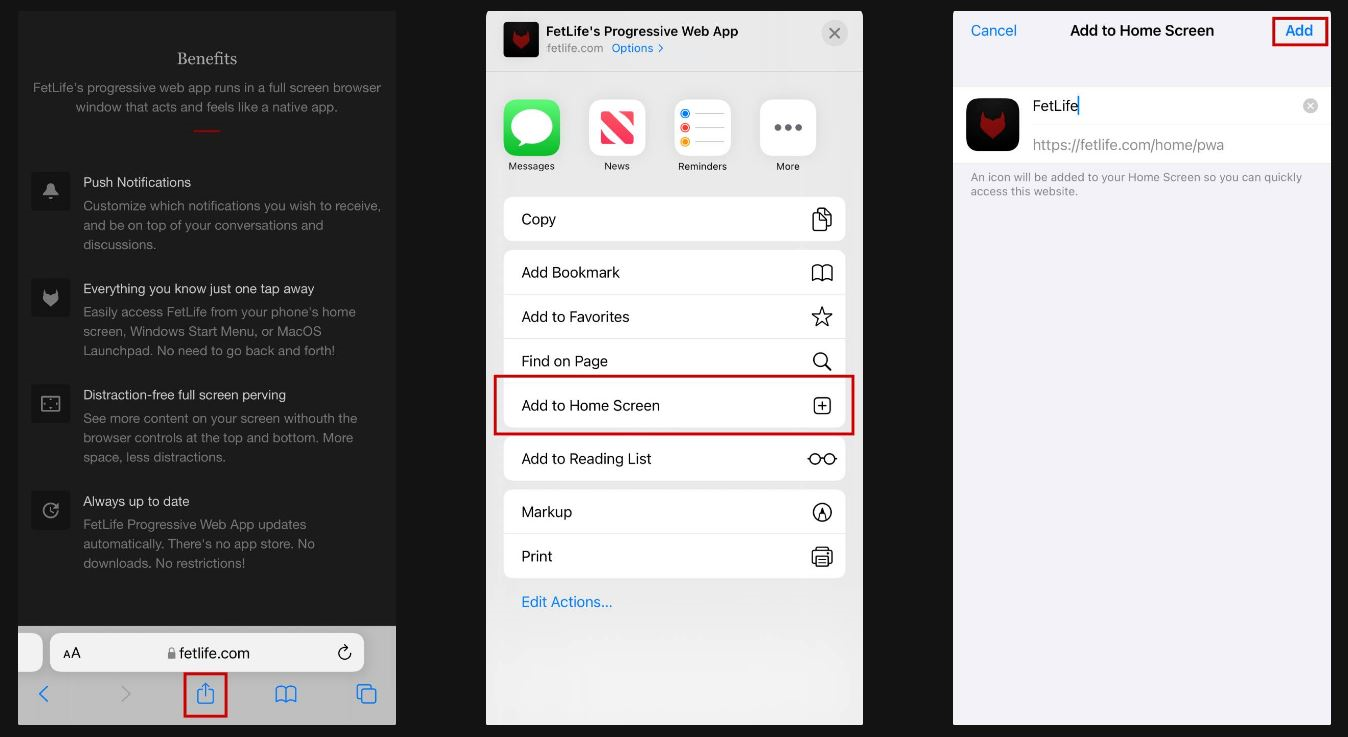
Step 2: Add FetLife to Your Home Screen
You can easily add FetLife to your home screen by:
- Visiting any page of FetLife
- Tapping the "Share" icon
- Selecting "Add to Home Screen"
- Pressing "Add" in the top right corner
Step 3: Enable Push Notifications
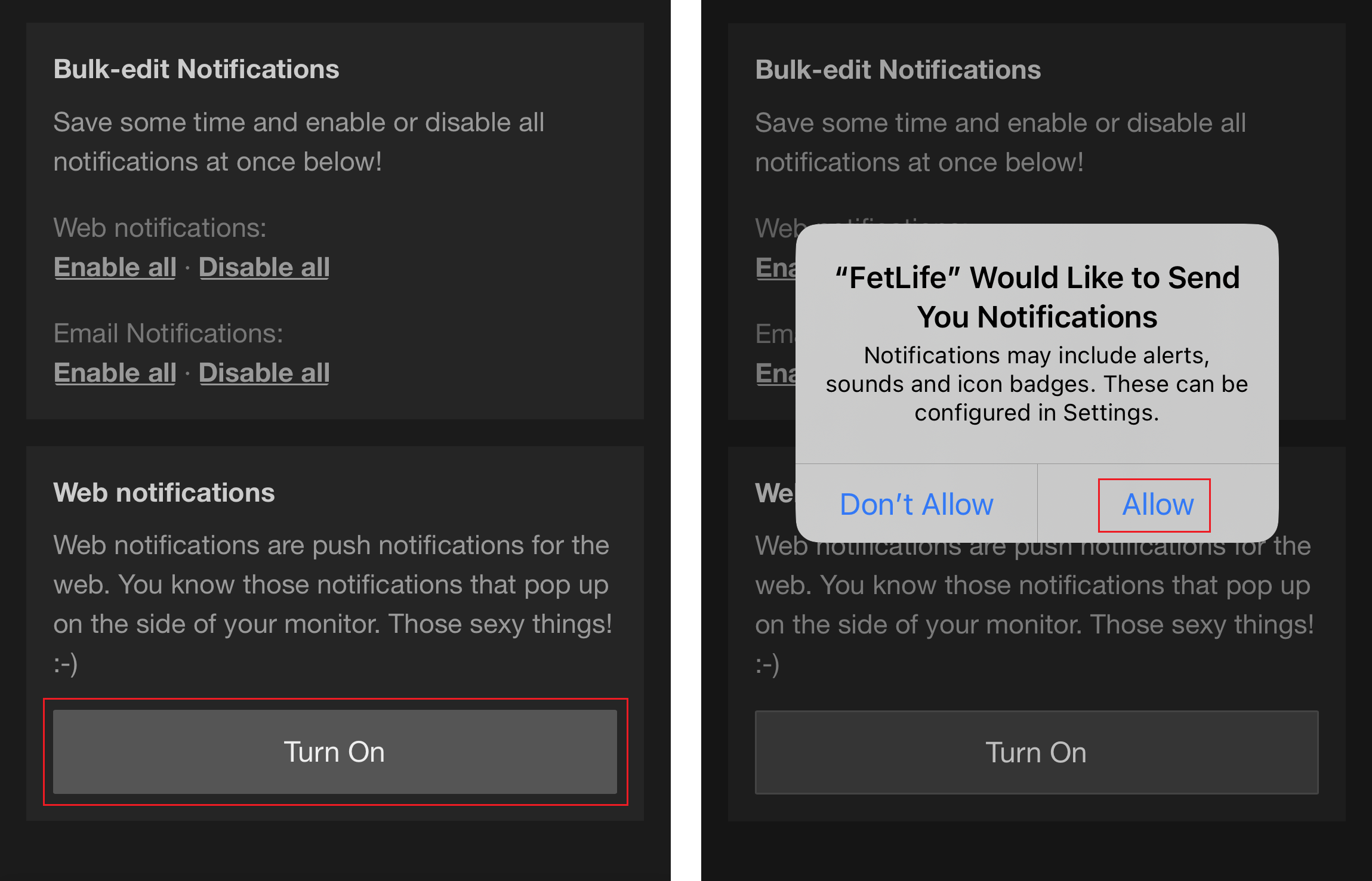
You can enable or disable push notifications inside the app by:
- Tapping on the FetLife logo from your device's home screen
- Logging into your FetLife account
- Navigating to your notification settings
- Finding the "Web notifications" section
- Selecting "Turn on" and following the instructions that appear in the pop-up
PRO TIP: To customize your push notifications, select the ones you want to receive by checking the boxes under the "Web" header.
We're happy to give you more ways to interact with the community!