2023/05/18
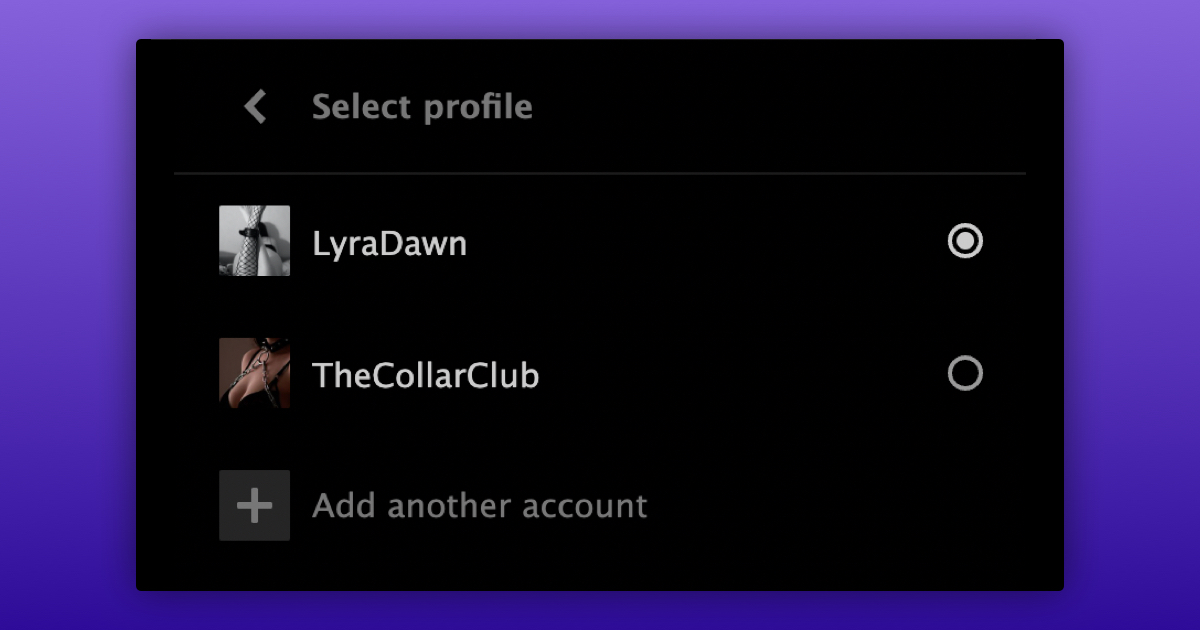
Login to Multiple Accounts
We are excited to introduce the ability to easily switch between accounts. Whether it's a personal, organizational, or couple’s account, you can now seamlessly switch between them without the hassle of having to log in and out.
To add another account:
- Open the account menu by clicking on your avatar in the top right corner.
- Click on "Add another account" located below the button that leads to your profile.
- Provide the nickname and password of the account you want to add.
- Click on "Login & Add Account."
- You will now be logged into the other account.
To easily switch between accounts:
- Open the account menu by clicking on your avatar in the top right corner.
- Click on "Switch to another account" located below the button that leads to your profile.
- Click on the account you want to switch to.
To remove an account from the list of logged-in accounts, simply log out of that account.
We are gradually rolling out this feature and would like to hear your feedback!
If you do not see the option to add another account in your account menu yet, then please be patient or hit us up so that we can give you access!
Note: Being logged into multiple accounts is browser-based. This means that if you log in with three accounts on desktop, you will not automatically be logged into the same three accounts on mobile.