2023/12/21
Muting
We are excited to announce that you can now mute another member. Muting a member filters out all of that member’s activity, including but not limited to their posts (pictures, videos, status updates, etc.), comments, loves, etc. from appearing in your activity feed.
Muting or unmuting a member happens discreetly and without sending the muted member a notification. Muting and unmuting will not affect your existing friendship or following status with the member, keeping your social connections intact.
Members can be muted directly from the activity feed or their profile page.
To mute a member from the activity feed:
- Find a story in the activity feed from the member you want to mute
- Select the “...” menu
- Choose “Mute (username)”
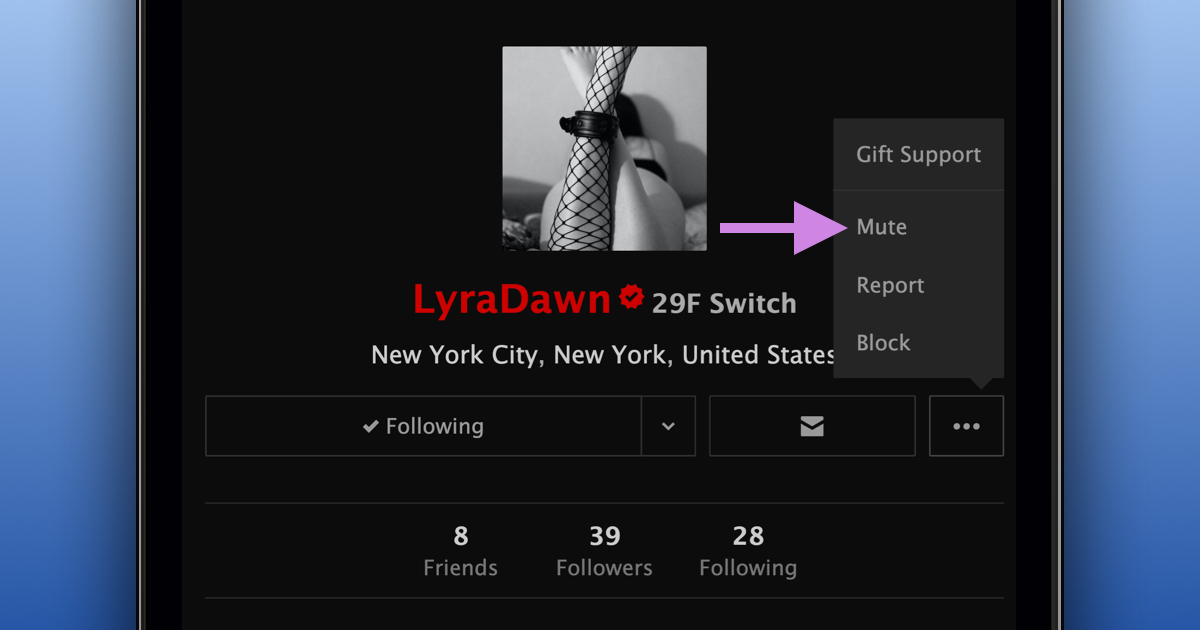
To mute a member from their profile:
- Navigate to the member’s profile
- Select “Mute”
You can unmute a member at any time from the Muted tab in your Account Settings or by selecting “Unmute” on the member’s profile.
We are happy to provide more ways to personalize your FetLife experience.