2024/07/25
"Audio" Activity Feed Tab
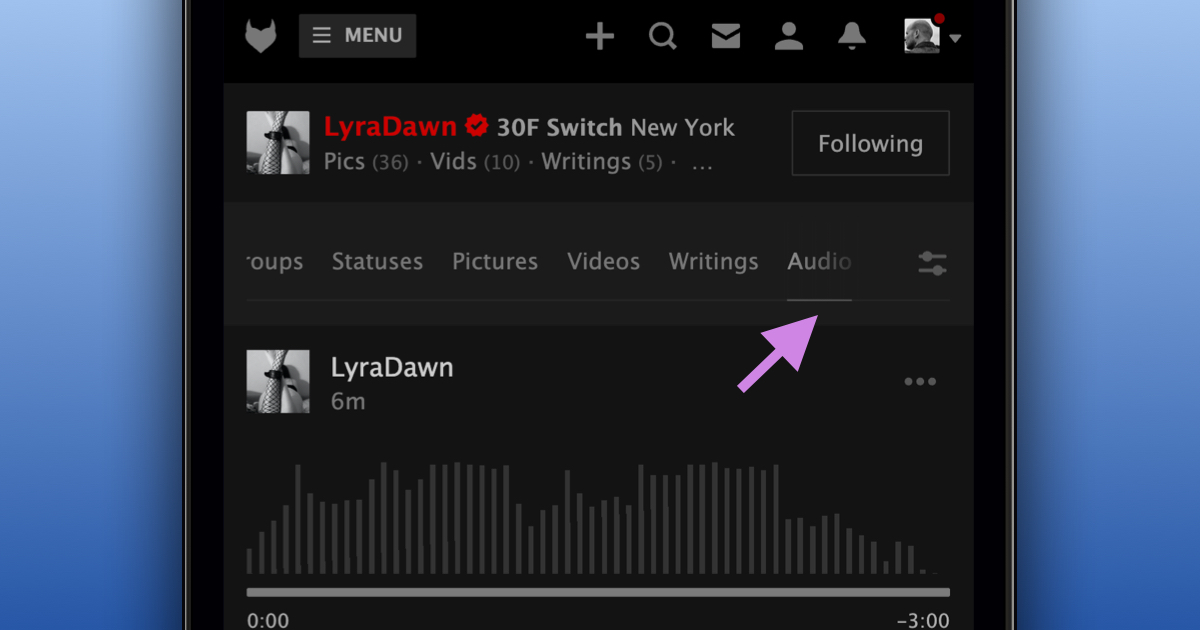
We’re excited to announce that we’ve added an “Audio” tab to both the main and profile activity feeds.
The “Audio” tab makes it simple to filter the activity feed to just audio. Additionally, in the near future, various types of content, not just status updates, will be able to include audio.
To view “Audio” on the main activity feed:
- Navigate to the main activity feed
- Press the “Audio” tab found at the top (mobile) or left side (desktop) of the feed
To view “Audio” on a profile feed:
- Navigate to a profile activity feed (e.g. JohnBaku’s profile feed
- Press the “Audio” tab found at the top of the feed
We’re happy to make it easier to find audio.
Stay kinky, my friends!