2024/09/20
Invite Any Friend or Follower to Your Event
We’re excited to announce a new feature that allows you to invite any friend or follower to your upcoming events, not just those who’ve RSVP’d in the past.
How to invite friends and followers who haven’t attended your previous events:
- Navigate to your event
- Click “Invite”
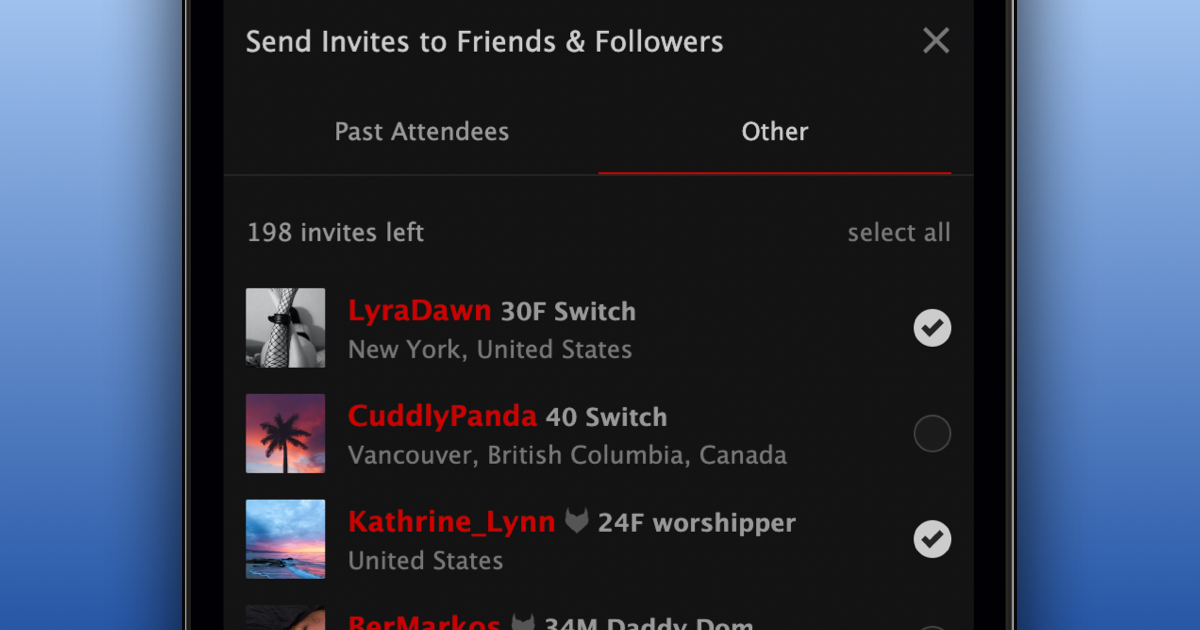
- Open the “Other” tab
- Select the friends and followers you want to invite
- Click “Invite people”
In the invite interface, you’ll see friends and followers who’ve RSVP’d to your past events under “Past Attendees,” while all other friends and followers are listed in the “Other” tab.
How to stop receiving invites from a specific organizer:
- Visit your Requests page
- Find an event invite from the organizer you want to ignore invites from
- Click the dropdown arrow on the: a. “Ignore” button (desktop), or b. “RSVP” button (mobile)
- Select “Always Ignore Invites from {Nickname}”
We’re excited to help event organizers reach more people and get the word out about upcoming events.
Stay kinky, my friends!