2024/11/13
Improved Group Muting
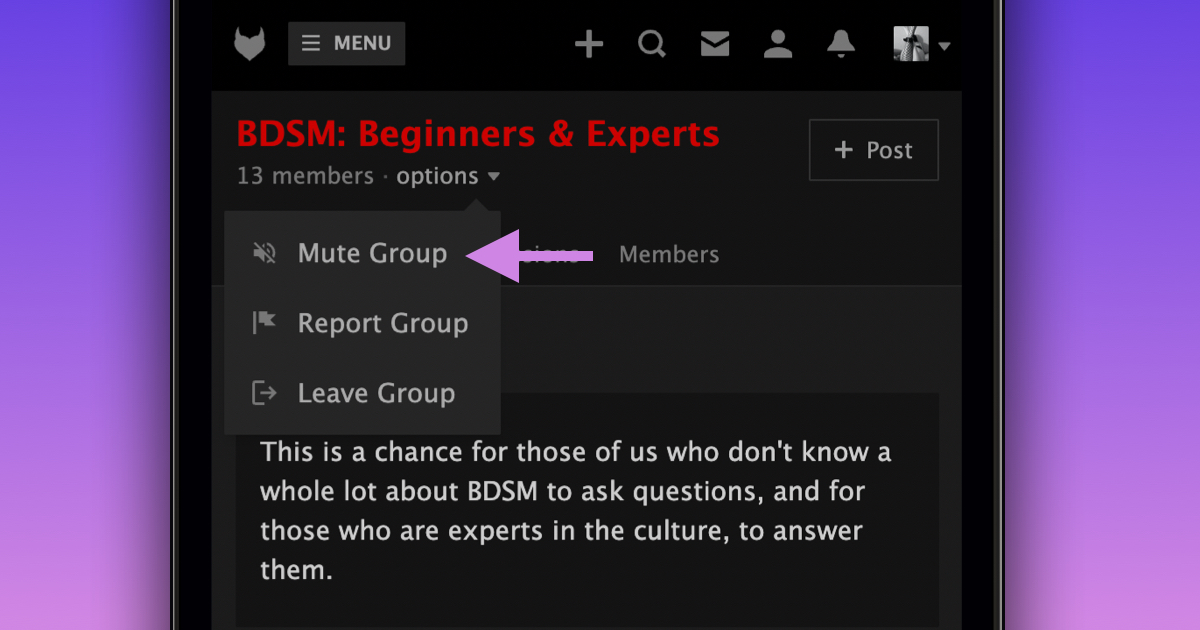
We’re excited to announce that you can now mute a group directly from the group page. Muting a group will hide all activity related to that group from your activity feed.
To mute a group from the group page:
- Navigate to the group you want to mute
- Click “options” beneath the group title
- Select “Mute Group”
Alternatively, you can mute a group directly from your activity feed by clicking the “...” menu next to the group story and choosing “Mute Group”.
To unmute a group, simply follow the same steps or unmute the group from the “Muted” tab in your account settings.
We hope this change makes managing your activity feed easier.