2024/11/22
Search Added to Event Invitations
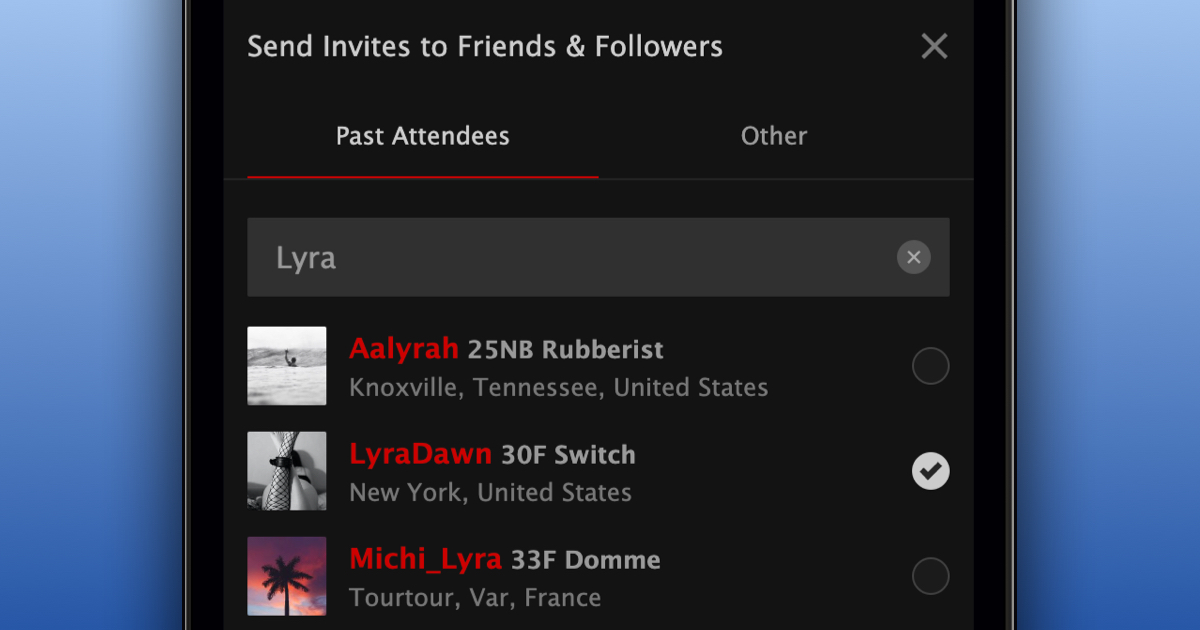
We’re excited to announce a new feature that simplifies the process of inviting specific people to your events. With this update, you can now search for specific people you want to invite to an upcoming event from FetLife’s event invitation interface.
To search for someone you’d like to invite to one of your upcoming events:
- Navigate to your event
- Click “Invite”
- Click on the “Search” field
- Type the nickname of the member you want to invite
- Select the person from the search results
- Add any additional members you’d like to invite
- Press “invite people”
In the invite interface, you see friends and followers who’ve RSVP’d to your past events under the “Past Attendees” tab, while all other friends and followers are listed under the “Other” tab.
We’re happy to make it easier to invite people to your events.