2025/07/10
Remove Follower
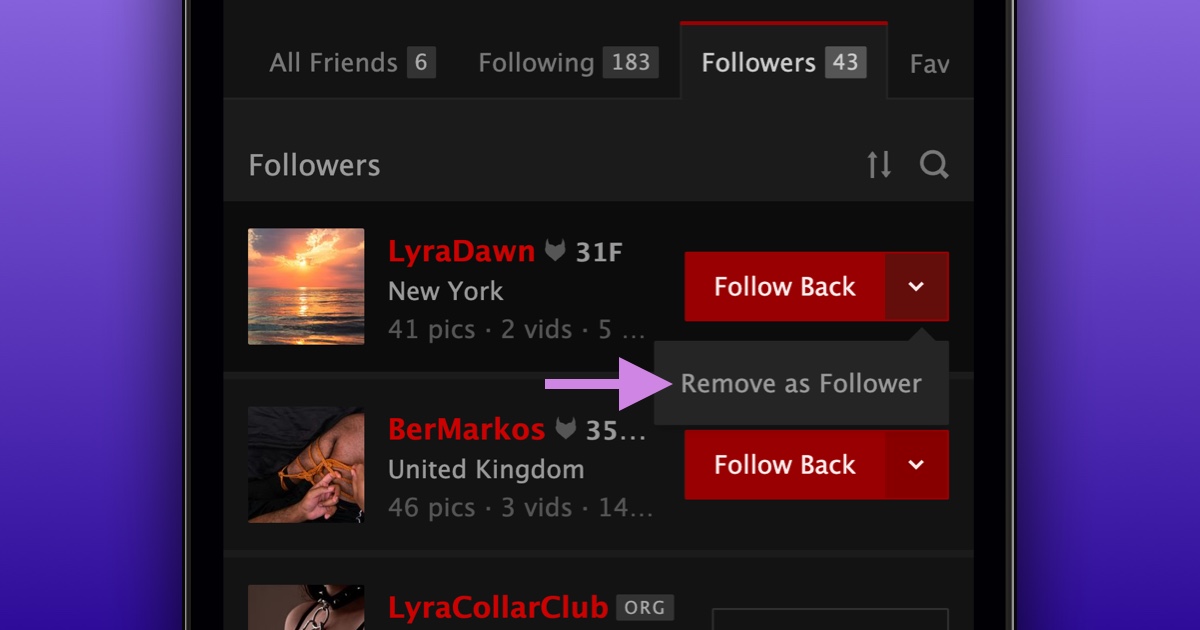
We’re excited to announce that due to community feedback, the option to remove a follower from your “Followers” list is now available again.
To remove a follower from your followers list:
- Navigate to your “Followers” list
- Find the member you want to remove as a follower
- Press the dropdown on the “Follow Back”/”Following” button
- Choose “Remove as Follower”
Alternatively, you can still remove someone as a follower directly from their profile.
We are grateful for the community’s feedback and are always looking for ways to better support the community.