2025/07/23
Sort, Search & Export Event RSVPs
We are very excited to announce that event organizers can now sort, search, and export their event RSVPs.
To sort RSVPs:
- Navigate to the event
- Open “RSVPs”
- Select any RSVP tab
- In the top right corner, press the “sort” icon
- Choose to sort by “Newest” (default), “Oldest”, “A -> Z”, or “Z -> A”
To search RSVPs:
- Navigate to the event
- Open “RSVPs”
- Select any RSVP tab
- In the top right corner, press “search” icon
- Enter a nickname
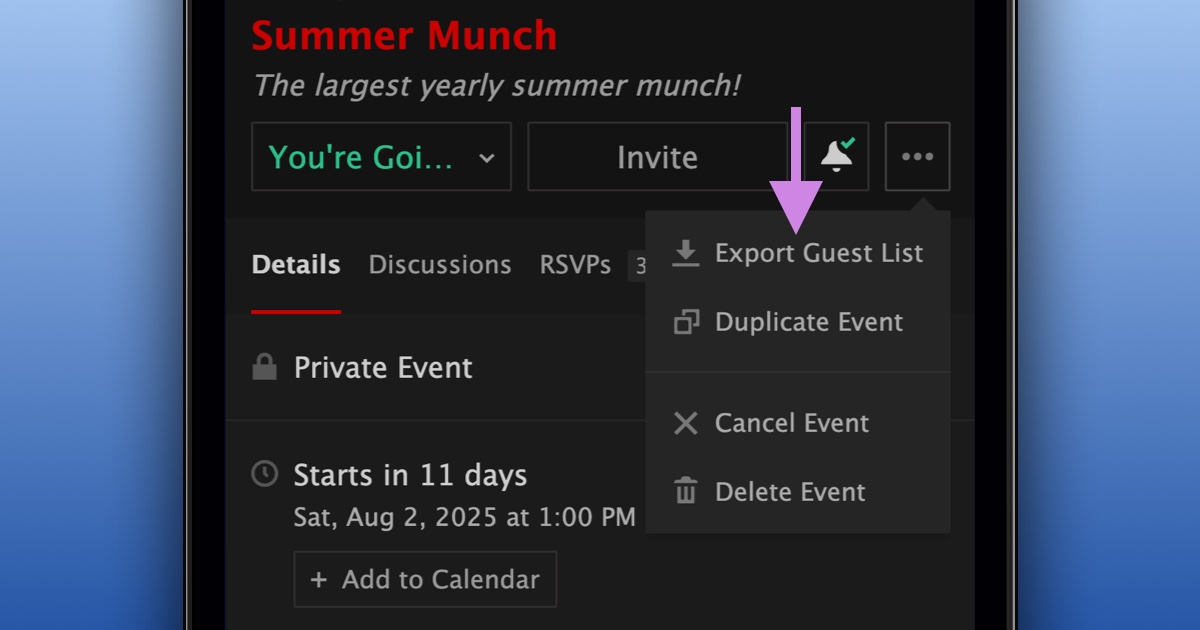
To export your event RSVPs:
- As the event organizer, navigate to your event
- In the top right corner, press the “...” button
- Select “Export Guest List”
- Your CSV file will be downloaded automatically
We’re happy to give more ways to manage your event RSVPs.