2026/03/13
Event Co-Hosts
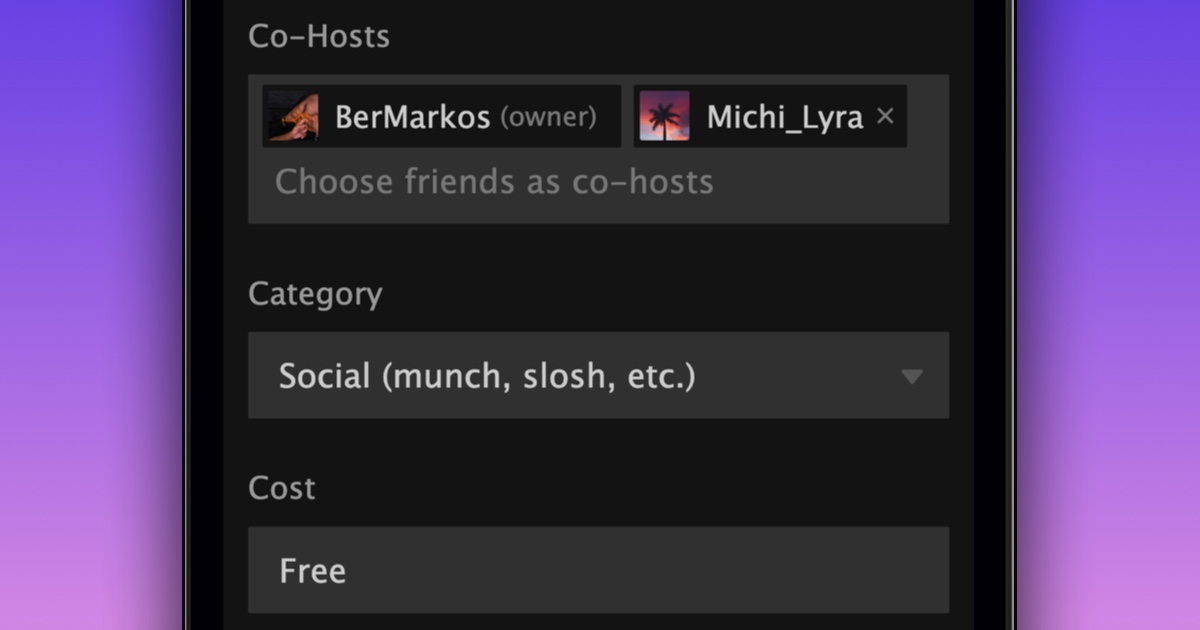
You can now invite friends to co-host your events on FetLife.
Sometimes organizing an event is easier when you are not doing it alone. Co-hosts let you share the work with people you trust.
To invite a friend to help co-host one of your events:
- Go to your event
- Open the “General” settings tab
- Scroll down to “Co-Hosts”
- Type the nickname of the friend you want to invite
- Select their nickname from the dropdown
- Press “Update Event Details”
You can respond to event co-host invitations directly from your Requests page.
Once someone accepts, they become a co-host.
Co-hosts can help manage the event. They can edit event details, manage RSVPs, and start discussions. They can also invite other friends to become co-hosts.
We also made a small update to how blocks work for events.
For the original event organizer, nothing changes. Members the organizer has blocked, or who have blocked the organizer, still cannot see anything related to the event. For co-hosts and event RSVPs, blocks do not apply within that event. This is to help make sure people do not miss important event updates.
We hope this makes managing events on FetLife easier.