2026/04/23
Message Everyone Who RSVP’d
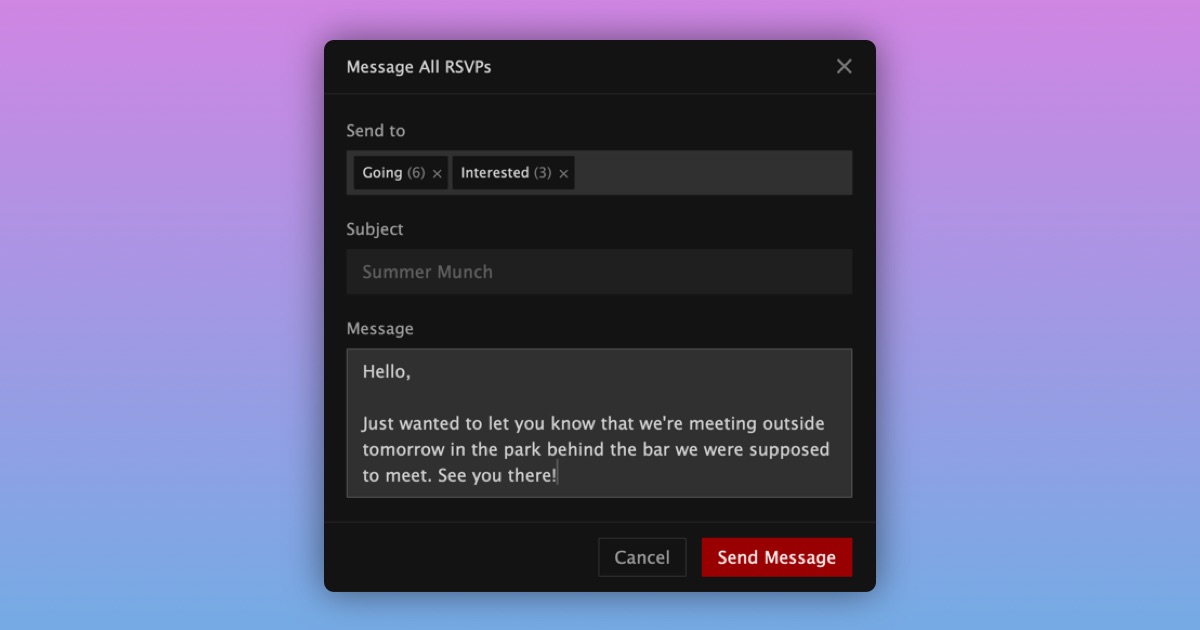
Instead of having to message each RSVP individually, event organizers and co-hosts can now bulk message everyone who RSVP’d to their event at once.
To send a bulk message:
- Go to your event
- Open the "Manage" tab
- Select "Messages"
- Choose who to message: Going, Maybe, and/or Interested
- Write your message
- Press "Send"
Your message will appear in their inbox like a normal private message.
For event organizers, replies to event messages appear in a new "Events" tab in your inbox, so event communication stays separate from your other conversations.
A few details:
- You can send bulk messages for up to one week after the event ends
- You and your co-hosts share read states for event messages, so you can see if a co-host has already read a message
- If someone un-RSVPs, leaves, or is banned from an event, they will not receive future bulk messages
- Only Supporters can send bulk messages. You do not need to be a Supporter to read and reply responses to bulk messages.
We hope this makes it easier to keep everyone coming to your event in the loop.