2026/08/26
Mute Conversations
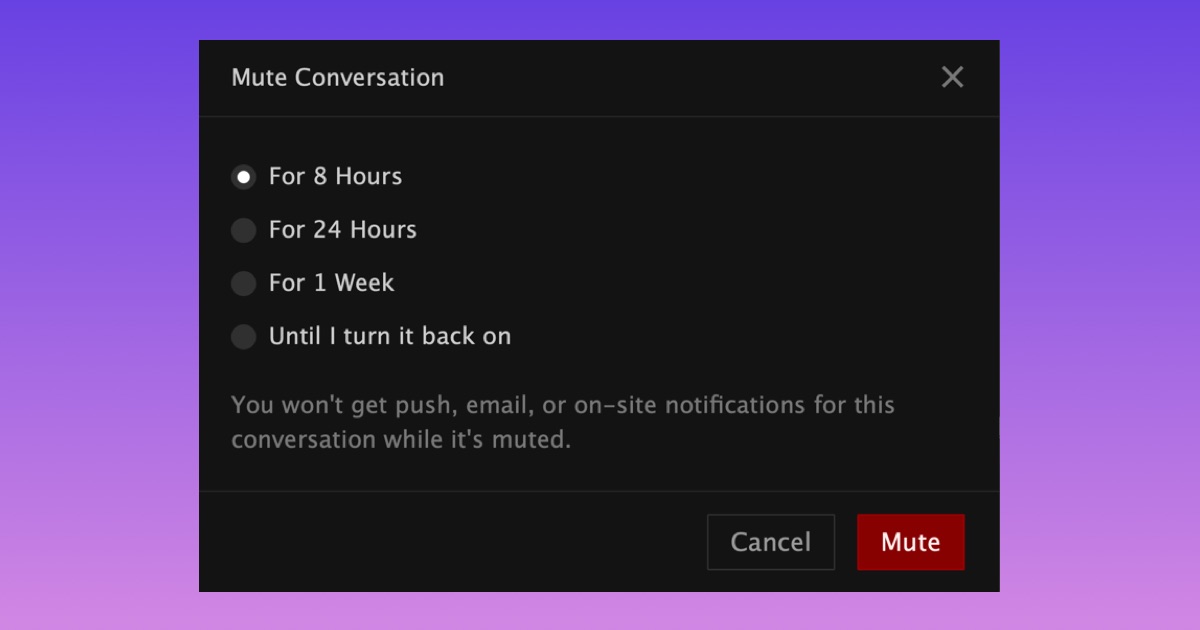
You can now mute notifications from any private conversation for 8 hours, 24 hours, 1 week, or until you unmute it.
While a conversation is muted, new messages and reactions will still come through, but you won't receive push, email, or on-site notifications for them.
Nothing else changes, messages still arrive as usual, and your unread message count will continue to update.
To mute a conversation:
- Open a private conversation in your Inbox
- Select “Mute” from the menu at the top on mobile or on the right on desktop
- Choose how long you want to mute it for
- Select ”Mute”
No one in the conversation will know you've muted it.
Muted conversations show a small mute icon in your Inbox. Timed mutes end automatically, and you can unmute a conversation from the same menu anytime.
We hope this gives you more control over which conversations get your attention and when.