2026/09/11
Subscribe to Comment Notifications
When a discussion thread on someone else’s post gets interesting, keeping up with it used to mean going back and checking for new comments yourself.
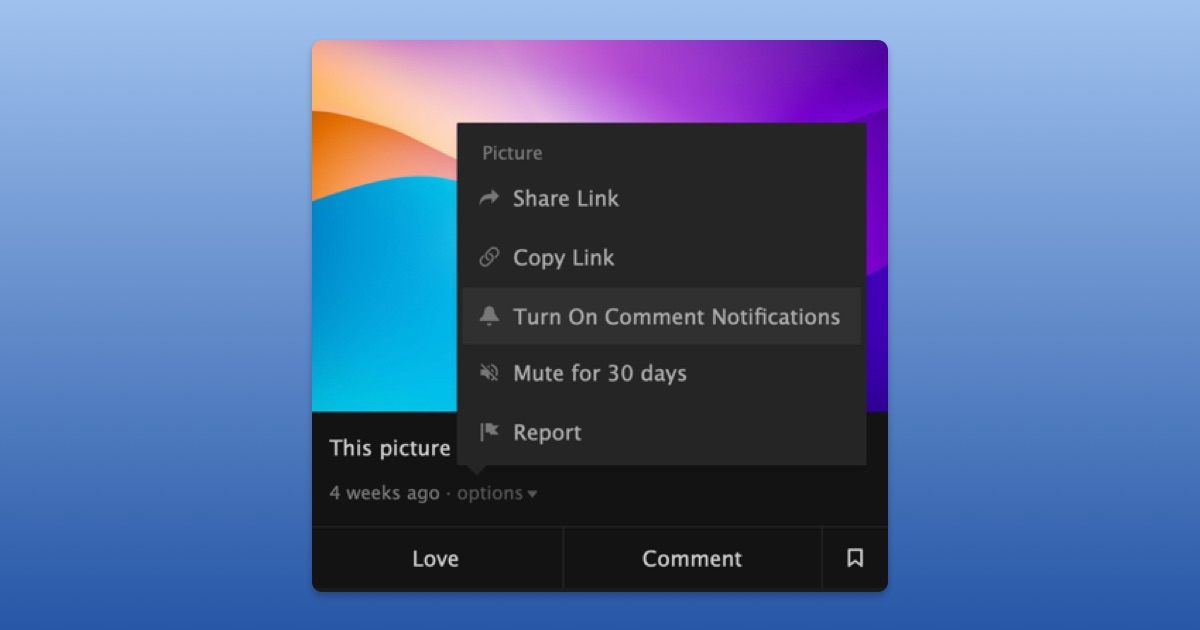
Now, you can subscribe to comment notifications on other members’ posts. When someone leaves a new comment, you’ll get notified just like you would on your own content.
To subscribe to comment notifications:
- Open the “…” menu on a post
- Select “Turn On Comment Notifications”
You can unsubscribe anytime by turning comment notifications off from the “…” menu on the post or directly from any comment notification you receive.
To choose who can turn on comment notifications for your posts:
- Open your "Privacy Settings"
- Scroll down to "Comments"
- Choose who can turn on comment notifications for your posts
We hope this makes it easier to keep up with the discussions you care about.