2026/09/11
Shared Picture Gallery in Conversations
Pictures shared in private conversations can easily get buried between messages, making it hard to find one again weeks or months later.
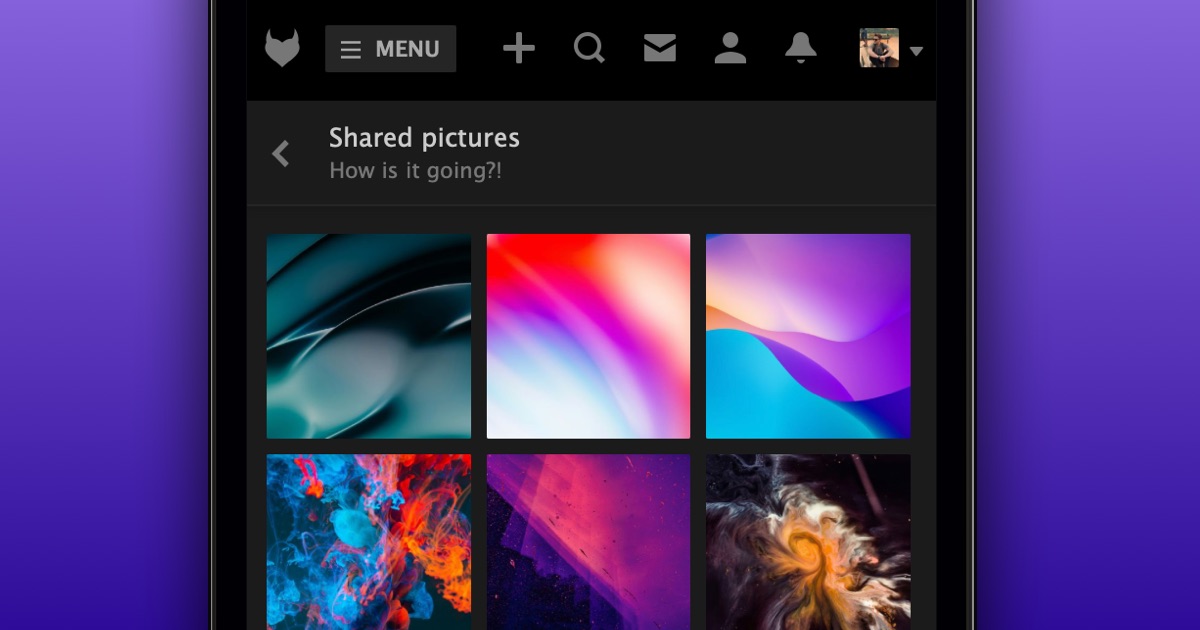
Now, every private conversation has a Shared Pictures gallery, bringing all the pictures shared in the conversation into one easy-to-browse grid.
To view shared pictures in a private conversation:
- Open a PM in your Inbox
- Select “Shared pictures” from the menu at the top on mobile or on the right on desktop
Select any picture to view it full screen. Then use the arrows or your left and right arrow keys to browse through the rest.
We hope this makes finding old favorites a whole lot easier!