2026/09/29
Event Check-In
Running the door at an event should be simple.
Now organizers and co-hosts can check people in with ease right from FetLife.
Every event has a check-in page with everyone who is Going or Interested. Search for someone by name and check them in, or scan the QR code on their ticket with your phone.
To check someone in:
- Open your event and go to its attendees list
- Select "Check In Attendees"
- Select "Check In" next to their name, or use "Scanner" to scan their ticket
The check-in page keeps a running count of how many people have arrived and can stay open on a phone or tablet while you're working the door.
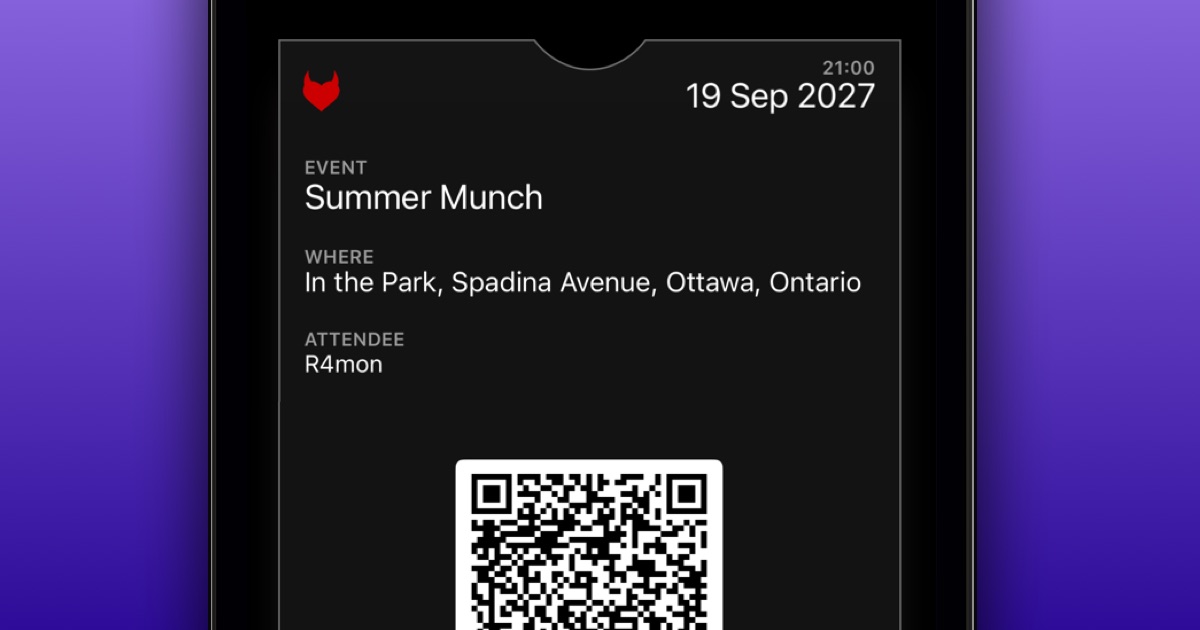
If you're attending an event, you'll now find a ticket on the event page with a QR code the organizer can scan when you arrive. If you have an iPhone, you can also add your event ticket to your Apple Wallet for easy access.
We know privacy is important to many, so your check-in is never shown publicly. Only the organizer and co-hosts can see who has checked in.
FetLife's Check-in feature is optional. If it makes running your door easier, use it. If your current system already works well, keep using it.
We hope this feature results in you spending less time managing a list and more time welcoming people to your event.