2026/11/17
View Your Report History
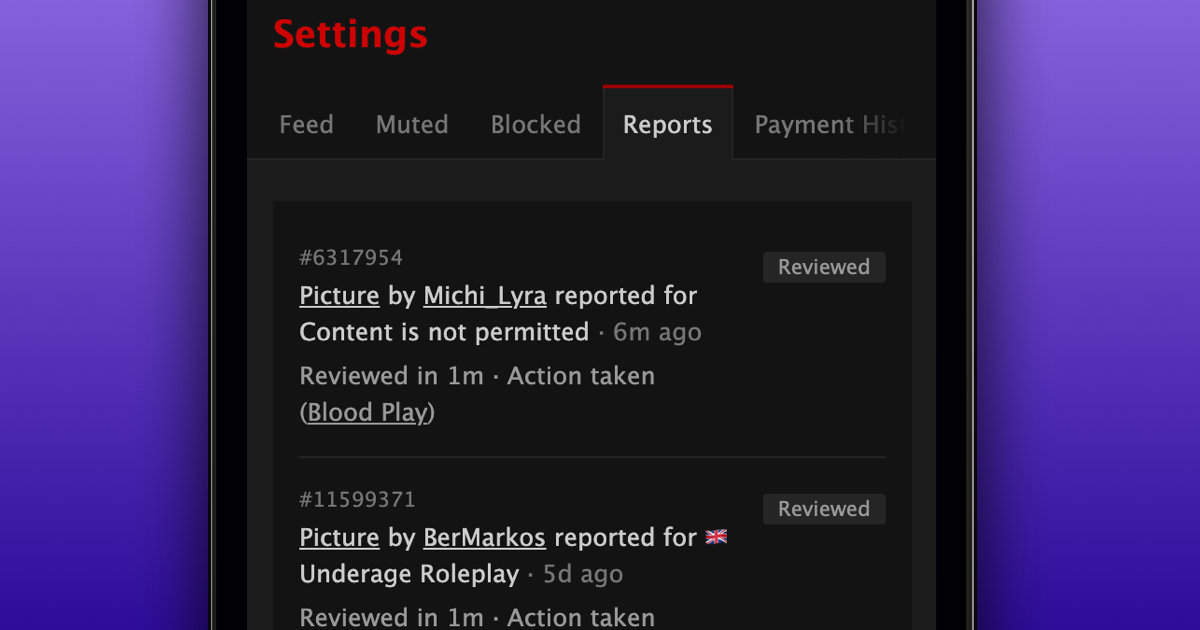
You can now view your full report history on FetLife, including what you've reported and the status of each report.
To see your reports:
- Go to your Account Settings
- Select the "Reports" tab
Your reports are listed from newest to oldest, showing what you reported, when you reported it, and their current status:
- In Review: Your report is waiting to be reviewed by the caretaking team
- Escalated: Your report has been escalated to a caretaking coordinator for a closer look, which can take longer
- Reviewed: The caretaking team has finished reviewing your report
Once a report has been reviewed, you'll also see whether action was taken. If action was taken, we'll show which guideline was broken when possible. If no action was taken, you'll see that too.
We hope this makes it easier to keep track of your reports!