2024/05/15
Mobile App Navigation Update
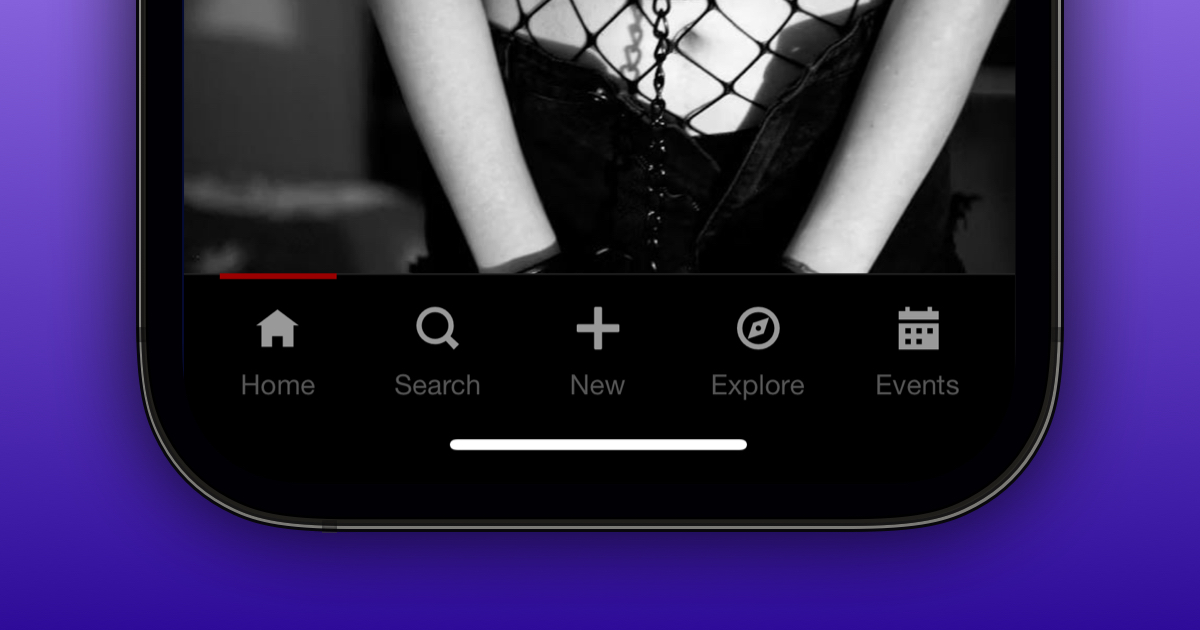
We're excited to announce an update to FetLife’s navigation for those who access FetLife through our mobile app.
What's New:
- Bottom Navigation Bar: We’ve added a new bottom navigation bar to improve access to the following sections and/or features: Home (the main activity feed), Search, Post, Explore, and Events.
- Intelligent Navigation Bars: Both the top and bottom navigation bars now intelligently hide when you scroll down, allowing you to see more content. As you scroll back up, the navigation bars reappear, ensuring they are always easily accessible.
If you haven’t yet, you can install FetLife’s mobile app on your mobile device:
Chrome on Android
- Tap the “···” menu in the top right of your Chrome browser
- Select "Install app"
- Click "Install" in the installation pop-up
Safari on iPhone and iPad
- Tap the Share icon at the bottom of your Safari browser.
- Choose "Add to Home Screen."
- Rename the app (if needed)
- Press “Add” in the top right.
For any other browser, please read our How to Install the Official FetLife App FAQ article.
If you’re having any issues installing FetLife’s mobile app on your mobile device, please don’t hesitate to contact support@fetlife.com.
We hope these enhancements make using FetLife’s mobile app more enjoyable.